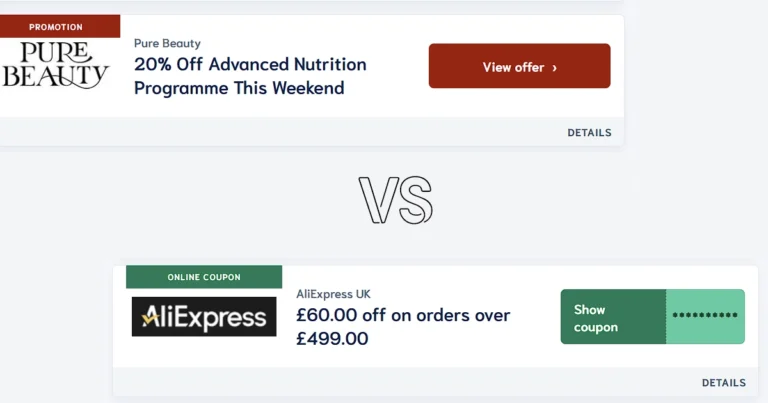

How to use MyBestDealsMarket is a straightforward process – find the deal or coupon you want, click it, and the discount is applied automatically when you land on the retailer’s page. No sign-up, no copying codes manually, no complicated steps.
This guide walks you through exactly how the site works, how to navigate its 12 shopping categories, how to search by brand, and how to get the most out of every visit – whether you are buying fashion, electronics, beauty products, or anything in between.
What is MyBestDealsMarket and how does it work?

MyBestDealsMarket is a deals and coupon platform that collects current discount codes, promotional offers, and sale events from hundreds of online retailers in one place. Instead of visiting each brand’s website separately or searching for promo codes across multiple sources, you can find everything from a single hub – organised by category and searchable by brand name.
The core mechanic is simple. When you click or tap on any coupon or deal on MyBestDealsMarket, two things happen simultaneously: the discount is automatically linked to your session, and you are redirected directly to the retailer’s website. By the time you reach the store, the saving is already attached. You shop as normal and the reduced price appears at checkout – no code to remember, no copy-paste required.
There is no account to create and no subscription to sign up for. The service is free to use for every shopper.
Step 1 – Find the deal you want
There are two ways to find a relevant offer on MyBestDealsMarket depending on what you are looking for.
Browse by category
The site is organised into 12 shopping categories covering the most popular areas of online retail:
- Beauty & Health
- Books & Media
- Fashion & Clothing
- Finance & Insurance
- Food & Drink
- Gifts & Occasions
- Home & Living
- Kids & Toys
- Pets
- Software & Web
- Sports & Outdoor
- Travel
If you have a general idea of what you want to buy but have not settled on a specific brand, browsing by category is the fastest way to see what deals are currently available across all relevant retailers in that space. Head to current coupons and deals and select the category that matches your purchase.
Search by brand
If you already know which store you want to buy from, use the brand search to go directly to that retailer’s available offers. Type the brand name into the search field and all current active deals for that store appear immediately. This is the quickest route when you have already decided where you are shopping and simply want to check whether a discount exists before you complete your order.
Step 2 – Click the deal and go to the store

Once you have found an offer that suits your purchase, click or tap on it. This single action does two things at once:
It activates the discount. The coupon or promotional code is automatically linked through the redirect. You do not need to copy anything or remember a code string.
It takes you to the retailer. You land directly on the brand’s website – either on their homepage, a relevant category page, or a specific product page depending on the offer. The discount is already attached to your session.
From this point you shop exactly as you normally would. Add items to your basket, proceed to checkout, and the saving will appear in your order summary before you confirm payment. If the offer is a percentage off, you will see the reduced total. If it is free shipping, the delivery fee will be removed.
There is nothing more to do between clicking the deal and seeing the saving at checkout.
Step 3 – Complete your purchase at the reduced price
At checkout on the retailer’s site, review your order summary before confirming payment. The discount should be visible as either a reduced line item, a deducted amount, or a removed shipping fee depending on the type of offer you used.
If the discount does not appear, the most common reasons are: the items in your basket do not qualify for that specific offer, a minimum spend condition has not been met, or the offer expired between when you found it and when you checked out. In that case, return to MyBestDealsMarket and check whether an alternative deal is available for the same store.
Understanding the different types of discounts – percentage off, fixed amount, free shipping, minimum spend – helps you pick the right offer for your order. Our guide to how coupon codes work explains each type in plain language if you want a full breakdown.
How to get the most out of MyBestDealsMarket
Beyond the basic three-step process, a few habits will help you save more consistently.
Check before every purchase, not just big ones
The most common mistake shoppers make is only looking for deals on large purchases. Discounts are available across all price points – a 20% code on a £30 order saves £6, which adds up significantly over a year of regular shopping. Making it a habit to check MyBestDealsMarket before any online order, regardless of the size, is the single most effective way to reduce what you spend.
Use categories to discover brands you have not tried
Browsing a category rather than searching for a specific brand sometimes surfaces deals from retailers you would not have thought to check. A better offer from a store you have not used before is worth considering – especially for products like books, beauty, or homeware where many retailers sell comparable items.
Check back regularly for new offers
Deals and coupon codes are updated regularly as retailers launch new promotions, seasonal sales, and limited-time campaigns. An offer that was not available last week may be live today. For categories you shop in frequently – fashion, food, or software for example – it is worth returning to the relevant section periodically rather than only visiting when you have a specific purchase in mind.
What to do if a deal does not work
Occasionally a deal may not apply as expected at checkout. Before assuming something has gone wrong, work through this short checklist:
- Confirm the items in your basket are included in the offer – some deals apply only to specific categories or products
- Check whether the offer has a minimum spend requirement and whether your basket meets it
- Verify that the offer is still active – return to MyBestDealsMarket and check the deal listing
- Try clearing your browser cookies and clicking the deal link again to refresh the session
If none of these resolve the issue, the offer may have ended. In most cases an alternative deal for the same retailer will be available, or a similar store in the same category will have an active promotion.
Why use a deals site rather than searching for codes yourself?
Searching for promo codes independently – typing “brand name discount code” into a search engine – produces inconsistent results. Many codes found this way are expired, region-locked, or simply do not work. The process also takes time and requires checking multiple sources.
A dedicated platform like MyBestDealsMarket consolidates current, verified offers in one place. According to Statista, the share of online shoppers who use coupon or deals sites before purchasing has grown consistently year on year – reflecting how mainstream the habit of checking for discounts has become before completing an order online.
The practical difference is straightforward: one place, current offers, no searching required.
Start saving on your next purchase
The process is the same every time. Visit MyBestDealsMarket, browse by category or search for your brand, click the deal, and shop as normal. The discount is applied automatically – no account needed, no codes to copy, no extra steps.
Browse all current deals and discount codes across 12 categories at MyBestDealsMarket and start paying less on every online order.
Deals and coupon availability are updated regularly but change frequently. Always confirm the final discounted price at checkout on the retailer’s website before completing your purchase.